HEXYS Series
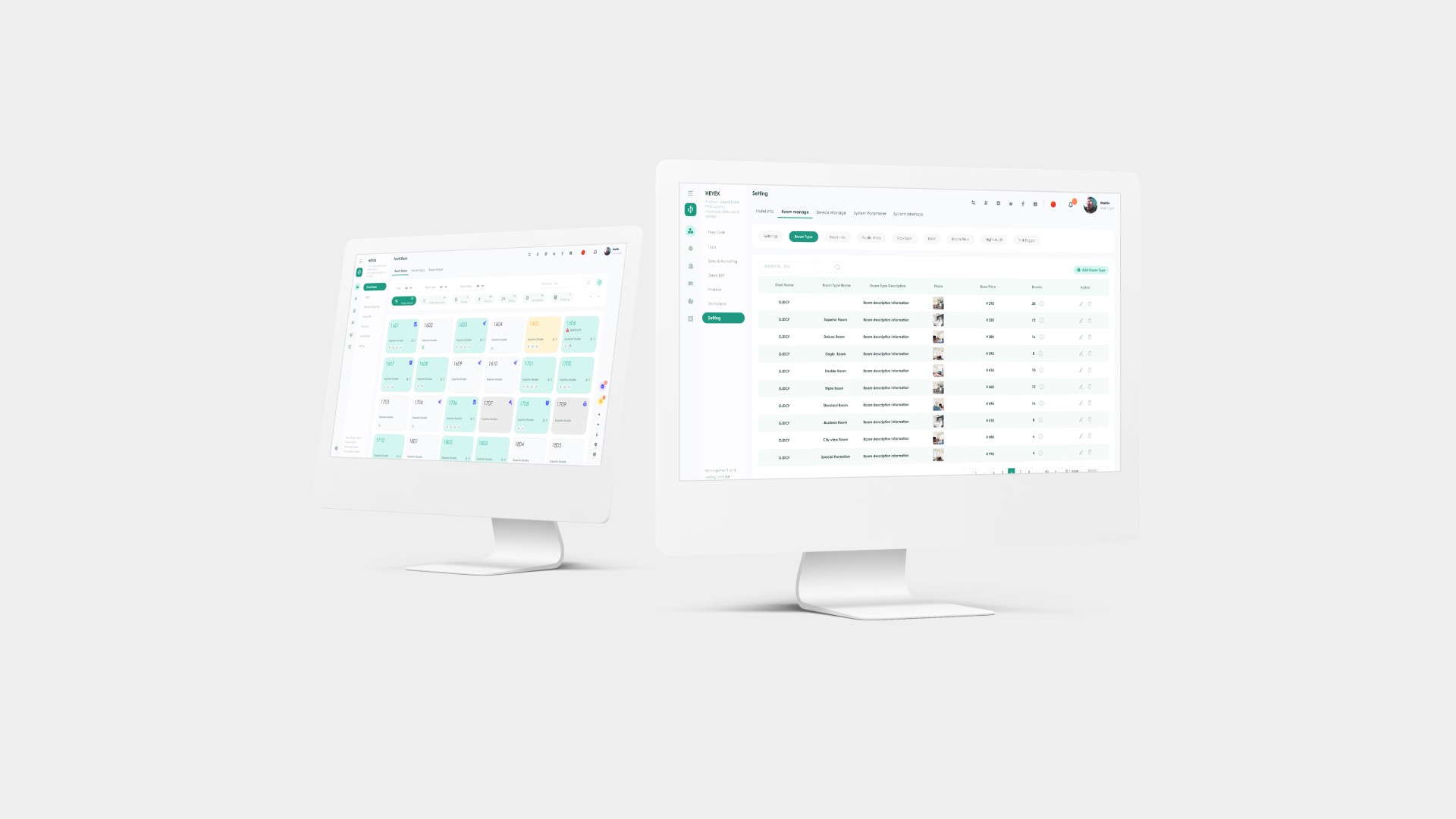
Hexys is a Hotel Front Desk Management System offers a cloud-based, user-friendly solution that minimizes training and human errors, enhancing guest engagement for mid-tier hotels, B&Bs, apartments, and clubhouses.
Business model
B2B
Role:
UX, UXR
Date:
2021
Industry:
Hotel Tech
Overview
Transforming Hotel Operations with Digital Solutions
Our team building HEXYS Series V1.0, I collaborated with a cross-functional team to enhance guest engagement for various accommodations. My focus was on aligning UX design with company objectives, streamlining user experience for both staff and guests.

40+ page
60% Design system coverage
57%
PMS providers to be average or poor.
34%
enhanced business intelligence features
58%
prioritize deeper technology integration
87%
expect a shift third-party APIs soon.
Problem Definition
The Critical Need for Unified PMS in Mid-Sized Hotels

Fragmented Systems
Mid-sized hotels grapple with inefficiencies and errors due to using disjointed systems for various management tasks without seamless data integration.

Limited Customization
Off-the-shelf PMS solutions often miss the mark for mid-sized hotels, being either too complex and costly or too basic, failing to meet their specific needs.
Phase One:Develop the MVP basic front desk management system.
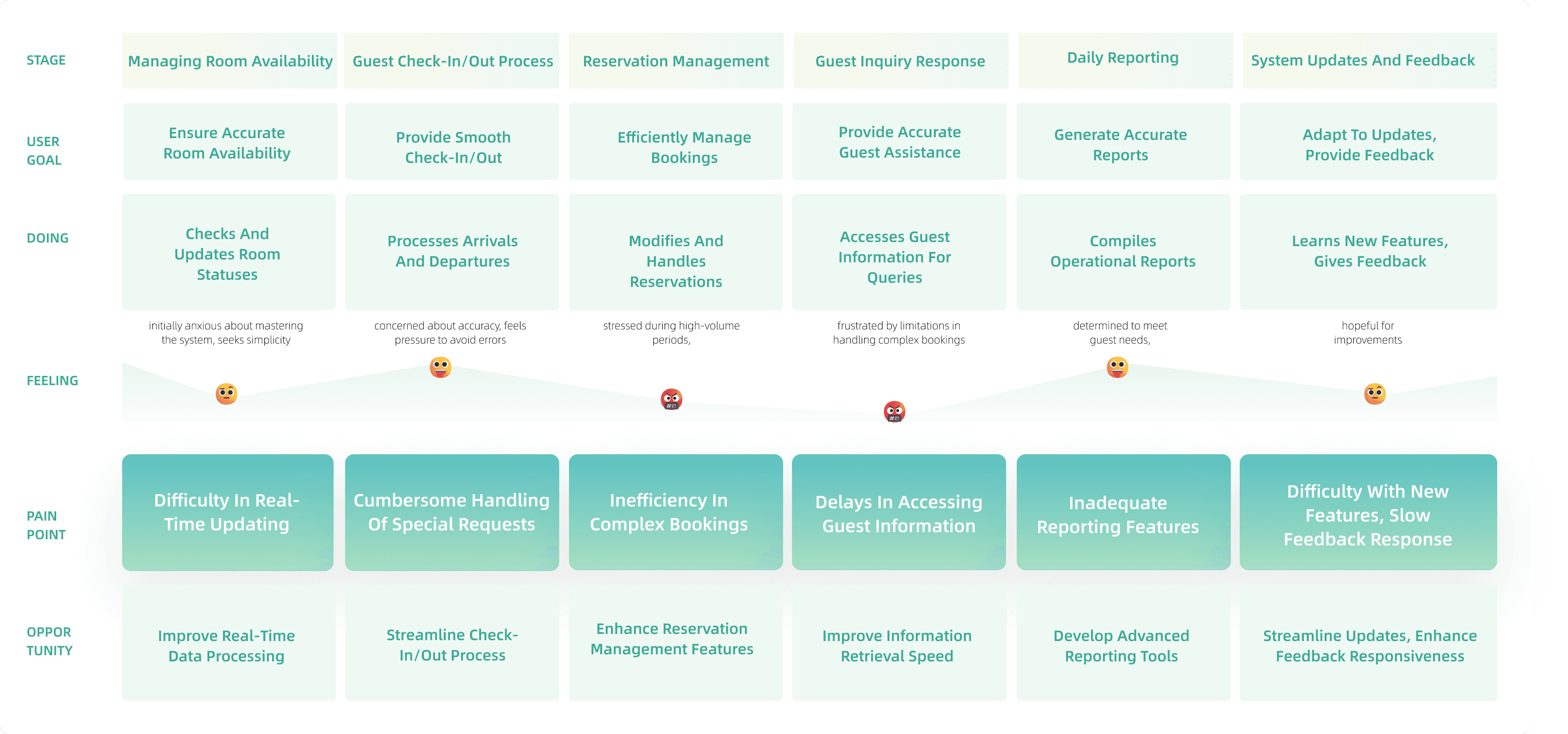
To understand every step a user takes when interacting with the system. This approach helps in identifying all possible scenarios, including typical daily tasks, exceptional cases, and user pain points. By mapping out these scenarios, the system can be designed to cater to a wide range of user needs and situations.
Collaborate with the PM to explore solutions.
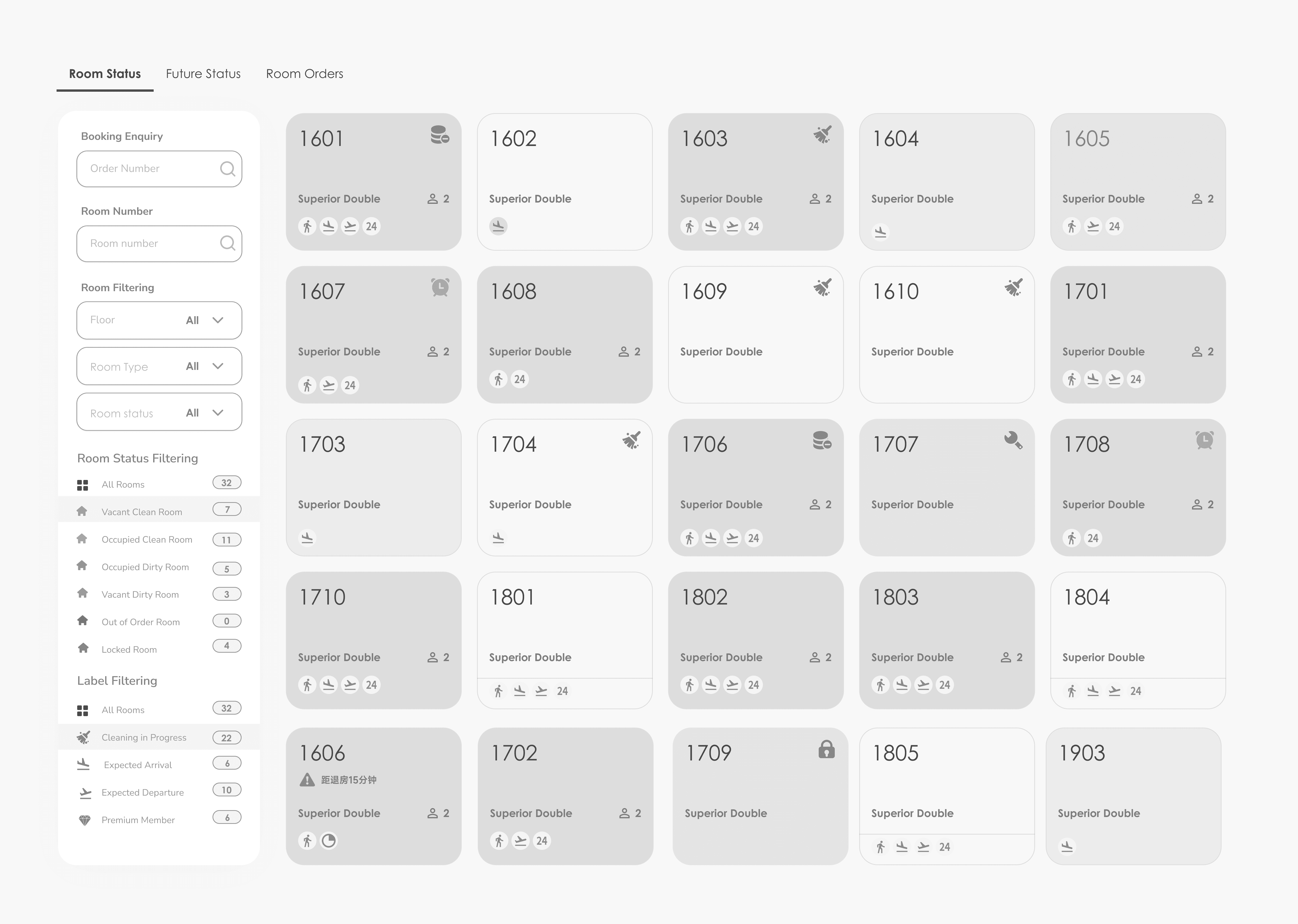
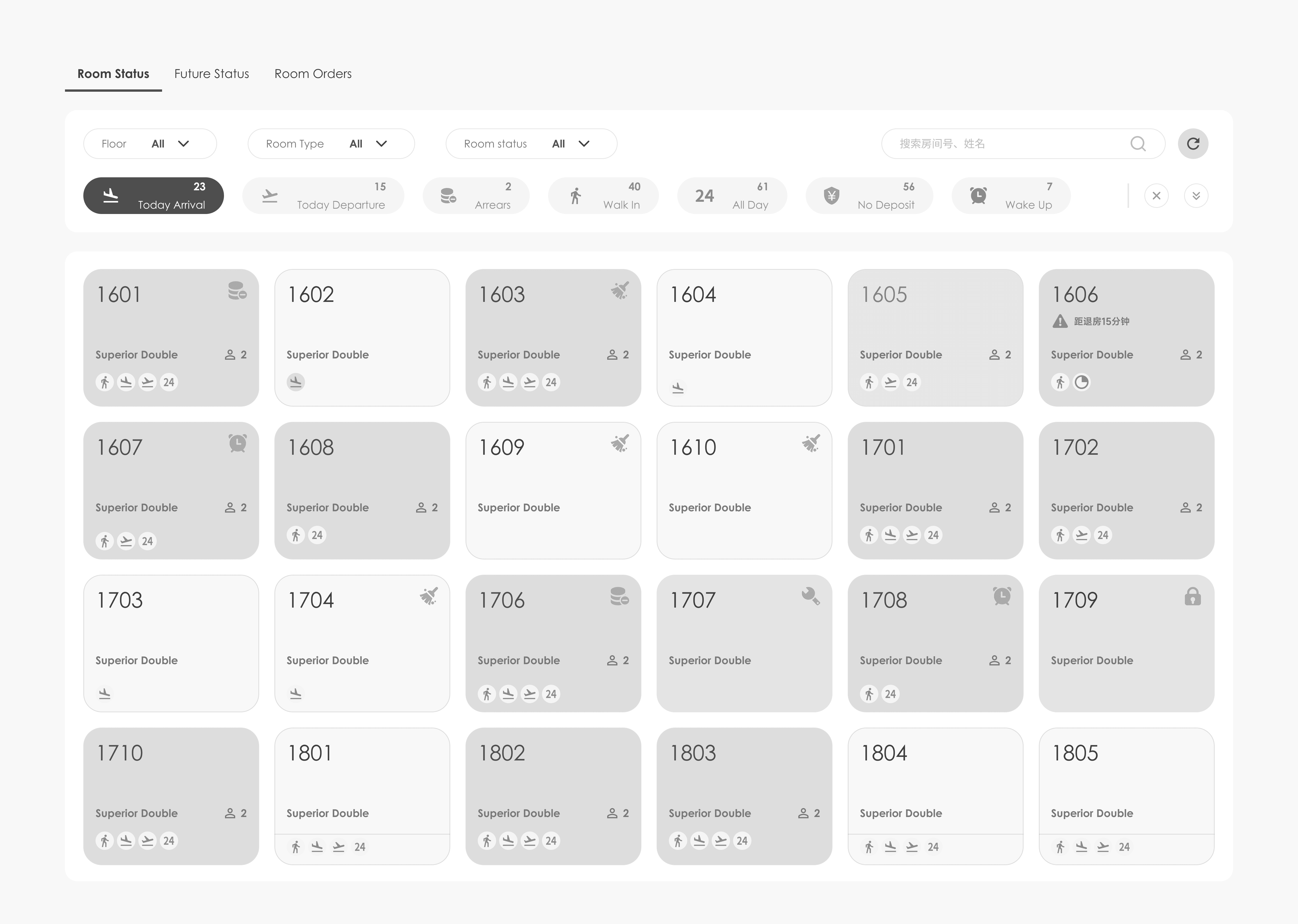
In our solution exploration, we investigated two distinct approaches. This strategy was adopted to tackle user interface challenges from varied perspectives, ensuring a well-rounded evaluation and the selection of an approach that best aligns with user needs.
Solution
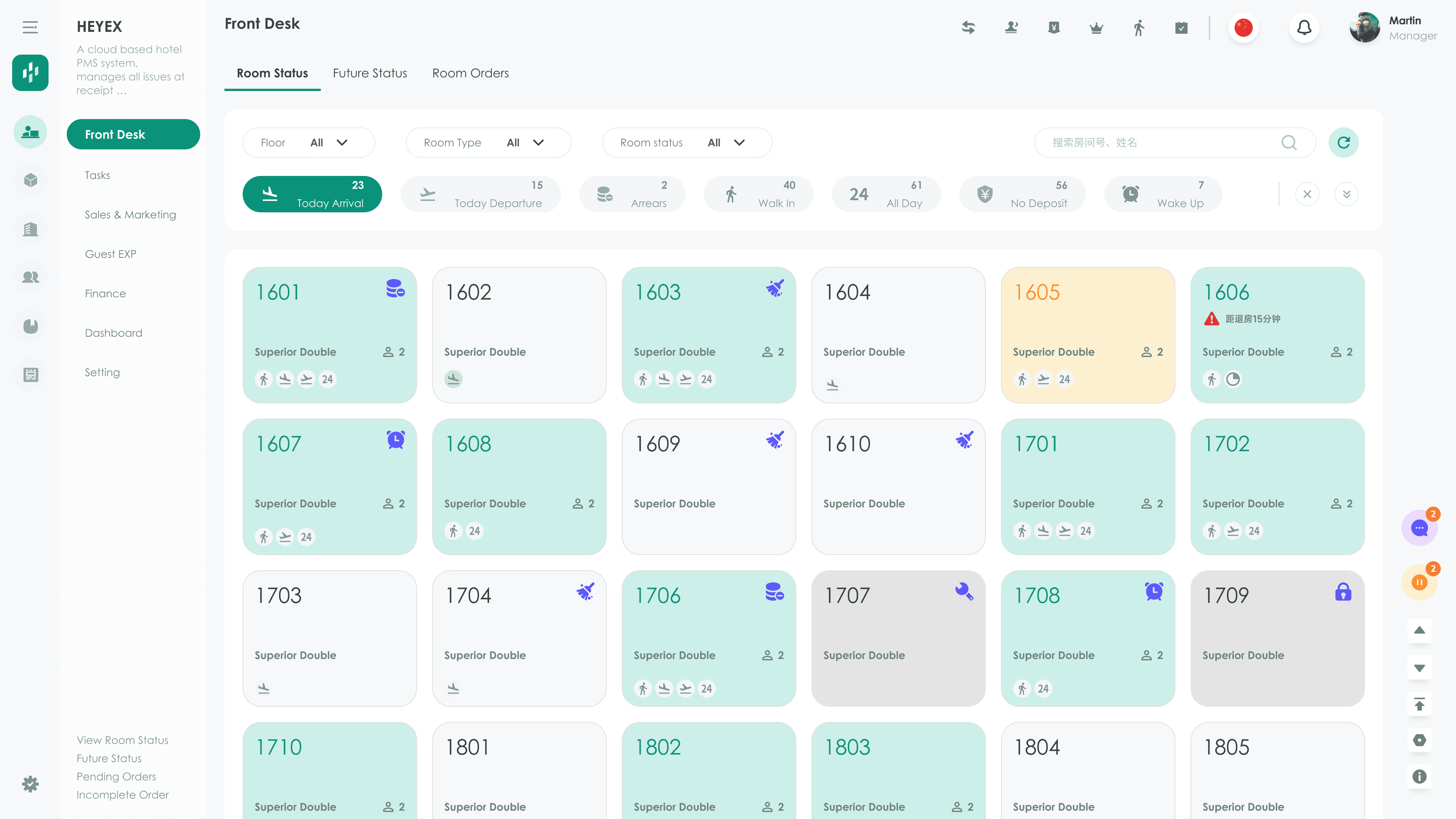
Streamlined Access and Interactive Real-Time Data Display
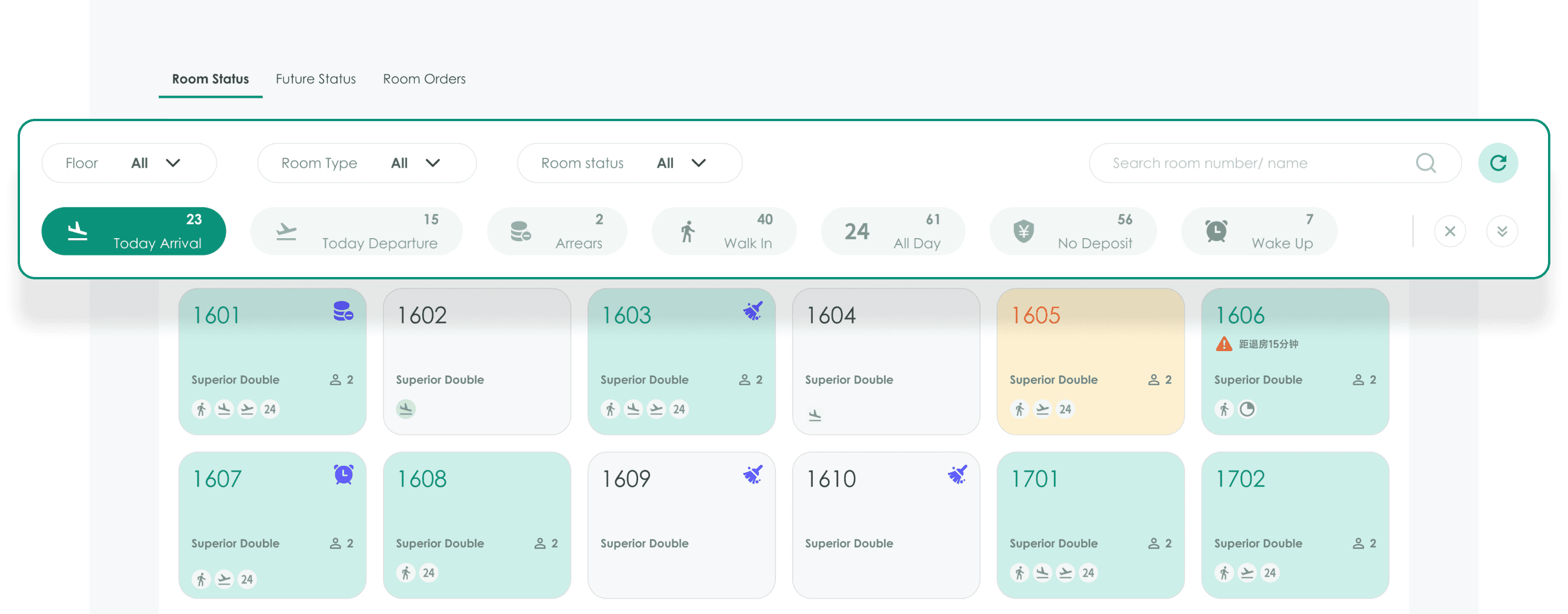
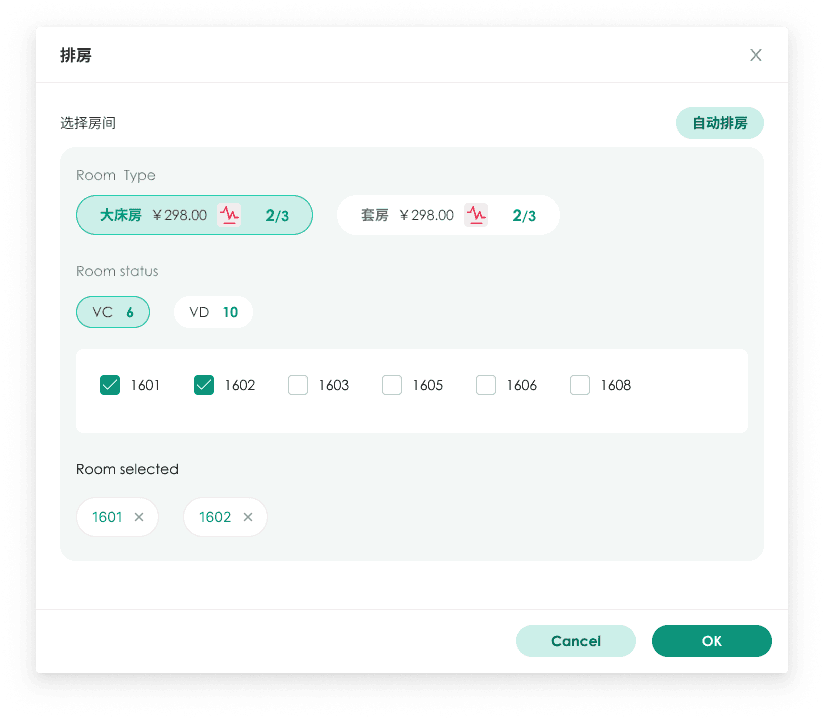
Enhanced Usability and Clarity": Plan B's design prioritizes easy navigation with clear labeling and intuitive layout, simplifying filter adjustments and enhancing overall user-friendliness.
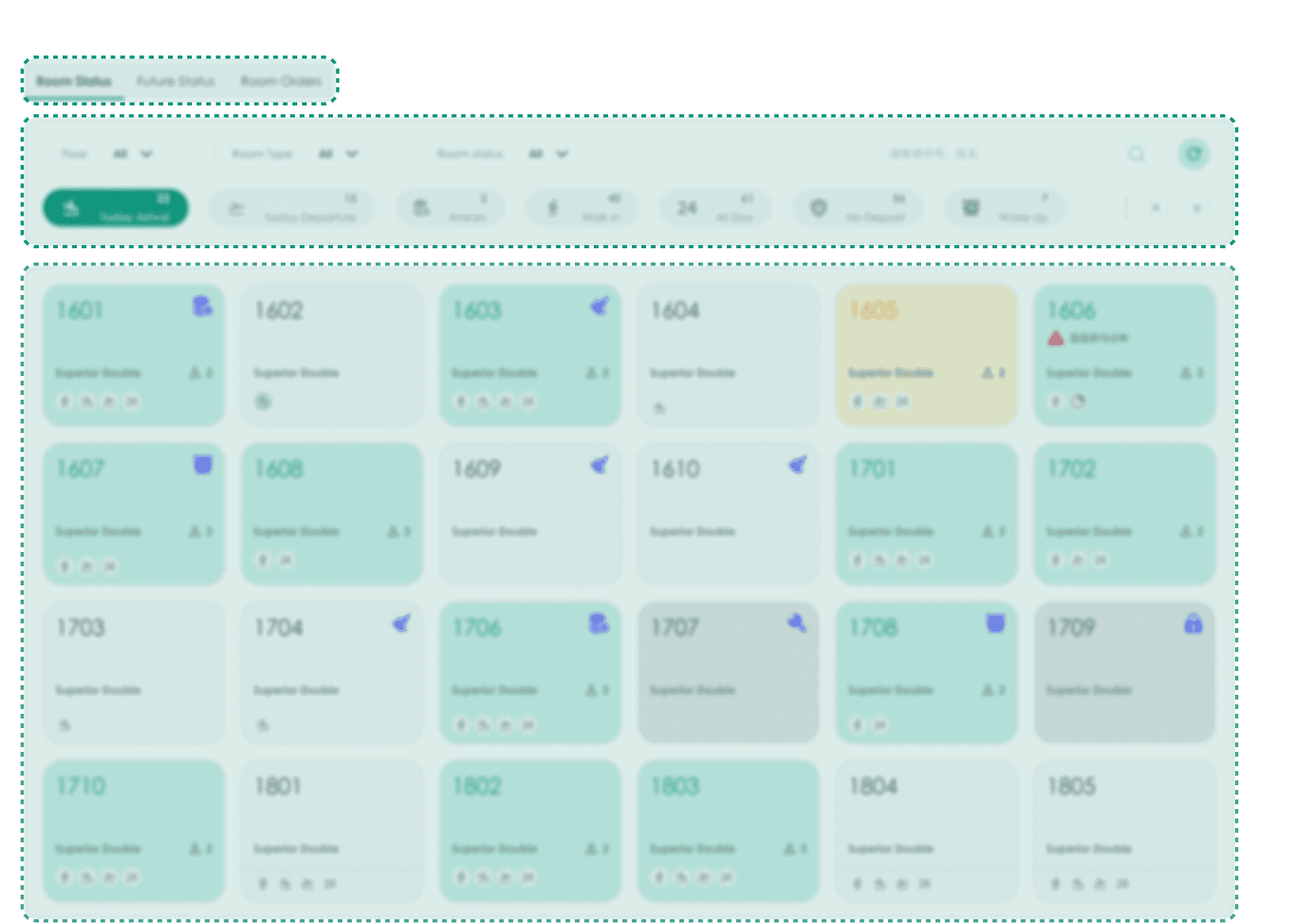
Simplified Layout and Reduced Cognitive Load.
Plan B's simplified layout eases decision-making and minimizes cognitive load, ensuring a smoother and more relaxed user experience.
Streamlining User Choices by Displaying High-Frequency Options.
Compared to Plan A, Plan B does not reduce the number of options but instead only displays a subset of commonly used, high-frequency options, eliminating distractions from other information. This approach facilitates quick decision-making for users by hiding complex or advanced features in deeper-level menus or settings